

expires_in.
API Keys
Your ability to authenticate to the API is granted through an API Key associated with an Application. Applications are specific to testnet or mainnet access, and have a specific set of permissions. You can create multiple API applications within the dashboard, each assigned specific API scopes.Create API Credentials
Create an application on the Settings page in the Dashboard. Brale will make your API key available only once. Please save the key in a secure location.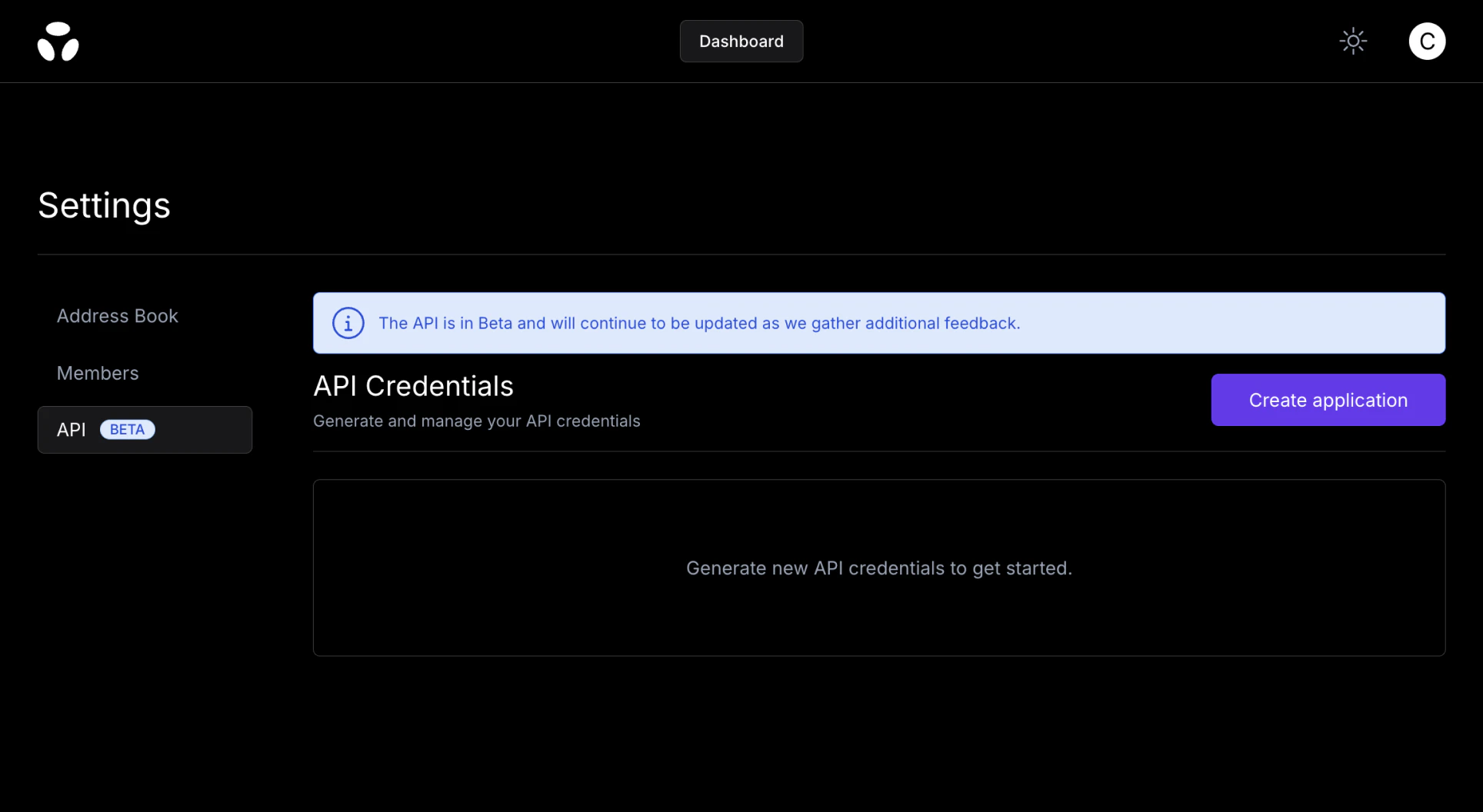
Obtain an Access Token
Brale uses OAuth2 with theclient_credentials grant type for secure access to our APIs. Sending a request to the Auth endpoint will return a bearer token to be used on all subsequent calls. The response will include the number of remaining seconds that the token is valid before a new one will need to be retrieved.
The Authorization header uses Basic HTTP Authentication. This requires encoding your client_id and client_secret into a Base64 format.
To generate the Base64 encoded string, you can use a command-line tool like base64 or an online encoder. Ensure that your client_id and client_secret are separated by a colon : and then encoded. This encoded string will be used in the Authorization header.
Authenticated Requests
Include the bearer token in the Authorization header of your API requests.Mutual TLS (mTLS)
For customers that want an additional layer of transport security, Brale offers mutual TLS. With standard TLS, only the server proves its identity. With mTLS, your client also presents a certificate, so both sides of the connection are authenticated before any request is processed. This ensures that only clients holding a valid certificate issued for your integration can reach your API endpoint, adding a strong network-level control on top of OAuth2 bearer token authentication. mTLS is enabled per customer. When you request it, Brale provisions a dedicated mTLS-enabled API endpoint for your integration and works with you to create, install, and test client certificates against that endpoint. To get started, request mTLS through Brale support.Token Expiration
Access tokens are short-lived and expire ~60 minutes after issuance. When a token expires:- API calls will return a
401 Unauthorizederror. - Your application should request a new token using the same client credentials before retrying the request.
- Best practice is to refresh automatically before expiry using
expires_inand to retry idempotently after refresh.